 Find toolbar action (Ctrl+F keyboard shortcut)
This tab allows to search for text entry across all applicable loaded object definitions:
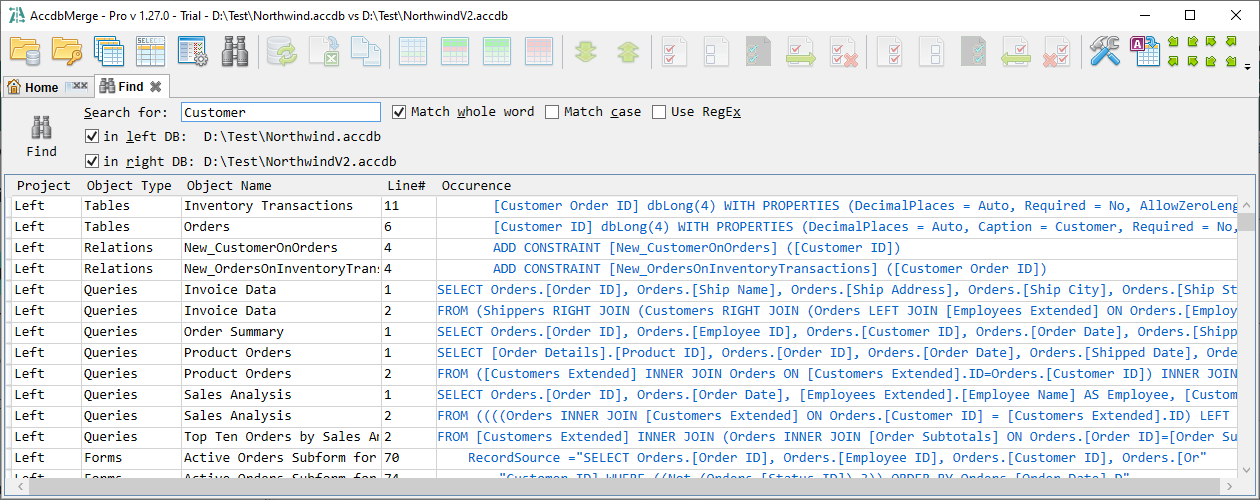
Top panel shows a number of search options which are quite self-descriptive and Find action, which also can be done by hitting the Enter key in the 'Search for' text box. Occurrence column in the results data grid contains a hyperlink that opens Text diff tab with focus on the line that contains text being searched for other object types.
Line numbers correspond to original object definition text. For forms, reports, and macros, it is a text that excludes 'ignore layout' changes modifications (layout noise, binary content, size and position), so if you will search for the occurence in the Text diff tab, you may need to disable corresponding text diff options.


