This dialog is opened when you merge tables in the Object list or Table structure diff tabs and the merge includes new NOT NULL columns without DEFAULT values. This operation may fail if the target table already contains data.
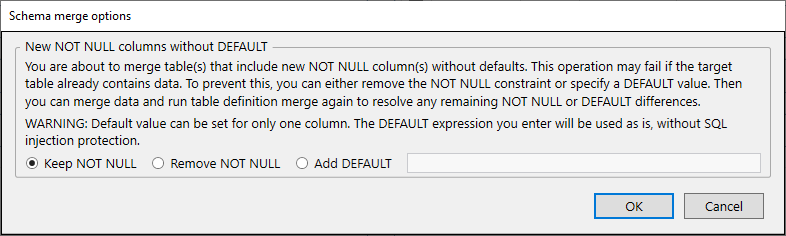
The dialog contains the following options:
This section provides information about the issue and available solutions:
You are about to merge table(s) that include new NOT NULL column(s) without defaults. This operation may fail if the target table already contains data. To prevent this, you can either remove the NOT NULL constraint or specify a DEFAULT value. Then you can merge data and run table definition merge again to resolve any remaining NOT NULL or DEFAULT differences.
WARNING: Default value can be set for only one column. The DEFAULT expression you enter will be used as is, without SQL injection protection.
The dialog offers the following radio button options:
Keep the NOT NULL constraint on the column(s). This may cause the merge to fail if the target table contains existing rows.
Remove the NOT NULL constraint from the column(s). This allows the merge to proceed without requiring a DEFAULT value.
Add a DEFAULT value for the column. This option is available only when merging a single NOT NULL column without DEFAULT. Enter the DEFAULT expression in the text field next to this option.
After selecting an option, click OK to proceed with the merge or Cancel to abort the operation.


