This dialog is opened when you merge tables in the Object list or Table structure diff tabs and the merge includes new NOT NULL columns without DEFAULT values, or when you merge changed user-defined table types and stored procedures/functions are not loaded on one or both sides.
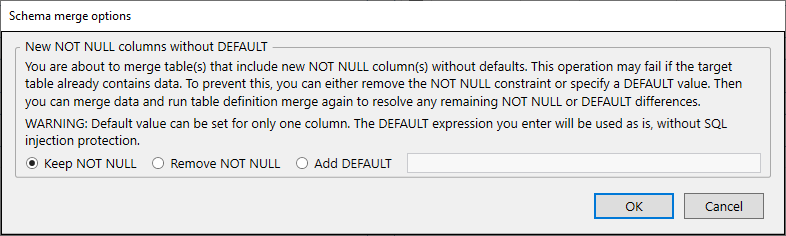
The dialog contains the following options:
This section provides information about the issue and available solutions:
You are about to merge table(s) that include new NOT NULL column(s) without defaults. This operation may fail if the target table already contains data. To prevent this, you can either remove the NOT NULL constraint or specify a DEFAULT value. Then you can merge data and run table definition merge again to resolve any remaining NOT NULL or DEFAULT differences.
WARNING: Default value can be set for only one column. The DEFAULT expression you enter will be used as is, without SQL injection protection.
The dialog offers the following radio button options:
Keep the NOT NULL constraint on the column(s). This may cause the merge to fail if the target table contains existing rows.
Remove the NOT NULL constraint from the column(s). This allows the merge to proceed without requiring a DEFAULT value.
Add a DEFAULT value for the column. This option is available only when merging a single NOT NULL column without DEFAULT. Enter the DEFAULT expression in the text field next to this option.
After selecting an option, click OK to proceed with the merge or Cancel to abort the operation.
This section is shown if you are merging a changed user-defined table type and stored procedures/functions were not loaded on one or both sides:
You're merging changed user-defined table type(s). Stored procedures/functions were not loaded on one or both sides, so if any exist and reference these types, the generated script will be incomplete and may fail. Reopen the database(s) with Stored procedures and Functions included to get a complete script.
To fix this, close the dialog, reopen databases with Stored procedures and Functions included in the loaded object types, and merge again.


